

SysCon 2026 Session Chair Instructions
Session Chairs play an important role in keeping sessions organized, professional, and on schedule.
Before the Session
Please report to your assigned room at least 15 minutes prior to the scheduled start of the session.
Presentation Computers
A presentation laptop will be available in each session room. Presenters should visit the room in the morning or during a break before their session begins to upload their presentation.
Preparing Presentations
Upon arriving in the room, please open the appropriate presentation folder if it is not already open and make sure the presentations for that session are ready to launch.
Introducing Speakers
Please confirm that all speakers are present in the room before the session begins. Plan to provide a brief introduction for each speaker.
Launching Presentations
It is best to launch each presentation just prior to introducing the speaker so that the title slide is displayed, including the presentation title, speaker name, title, and organization.
Launch the presentation by selecting the already open file from the taskbar or dock and clicking Presentation mode in the PowerPoint menu.
Once a presenter has finished, minimize (do not close) the presentation. Then open or maximize the next presentation before introducing the next speaker.
Remote slide advancers with integrated laser pointers will be available at the podium so that speakers can advance their own slides.
Timing
It is essential to stay on schedule. Flash cards will be provided in each room to help manage time. The cards indicate:
- 5 minutes
- 2 minutes
- 1 minute
- End presentation
Please use these cues consistently to ensure all sessions run on time.
If a speaker exceeds the allotted time, please stand and move toward the podium as a visual signal. If necessary, you may politely intervene by saying:
“With all due respect, we must end your presentation now. Your full paper is available in the Proceedings for those who would like more details.”
Each presentation, including Q&A, is limited to a maximum of 20 minutes.
No-Shows
If there is a no-show, please do not begin the next presentation early. Instead, wait until the scheduled start time of the next presentation, as many attendees plan their session attendance based on the published schedule. Make a note of any no-shows, as their papers cannot be published in IEEE Xplore.
Submitting a Chair Form
In our effort to promote sustainability please be prepared to submit your session chair form through CONFlux, the conference mobile application.
To do so:
1. Log into CONFlux: https://client.conflux.events/app/events/79
2. Login using the email that you used to register for the conference.
3. Navigate to your profile (upper right corner) and click “My Chaired Sessions”
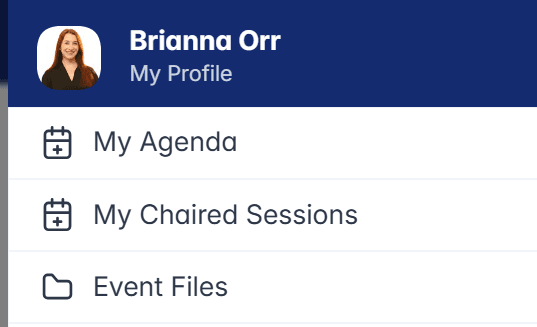
4. Click on the “Form” button next to your session.
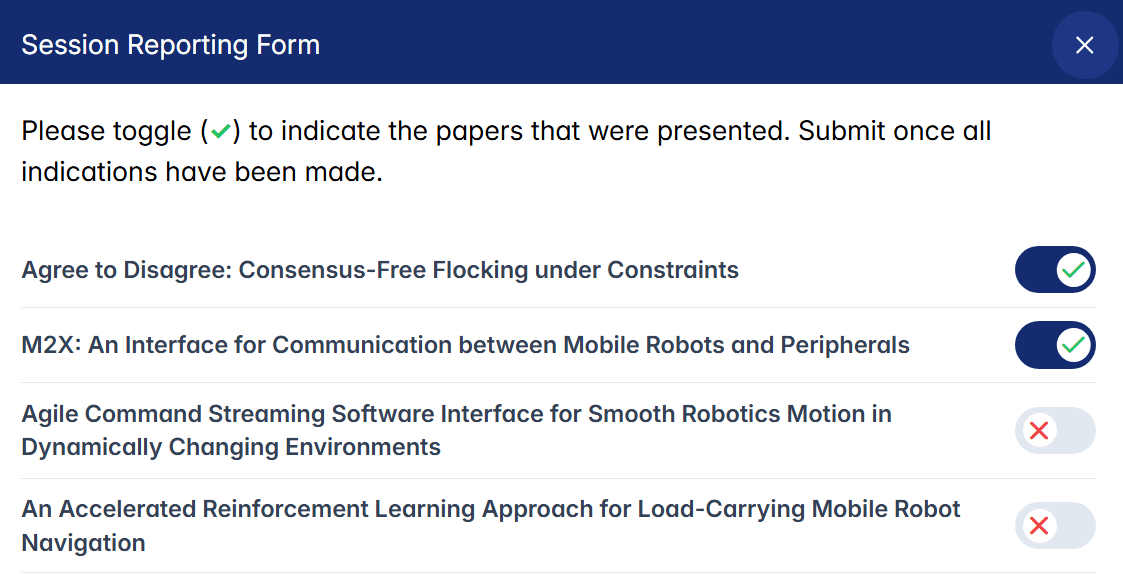
5. There will be a list of all presentations under that session and a toggle to the right of each presentation name. If the paper was presented, toggle to the right, if it was not presented, leave the toggle to the left. See below what it looks like when you toggle to the right.
6. Please add any additional comments and the estimated attendance for your session in the notes section. Click Submit.
Questions
If you have any questions or are unable to participate, please contact:
Brianna Orr
[email protected]